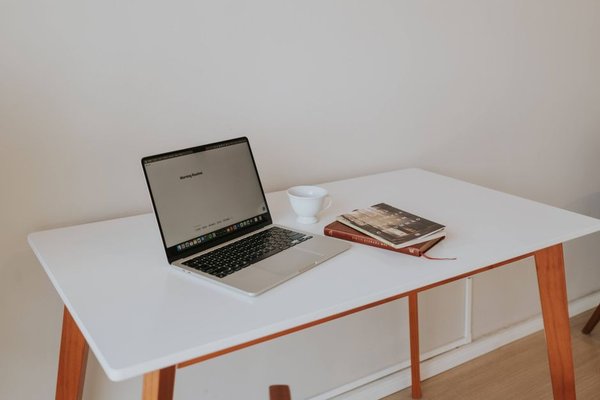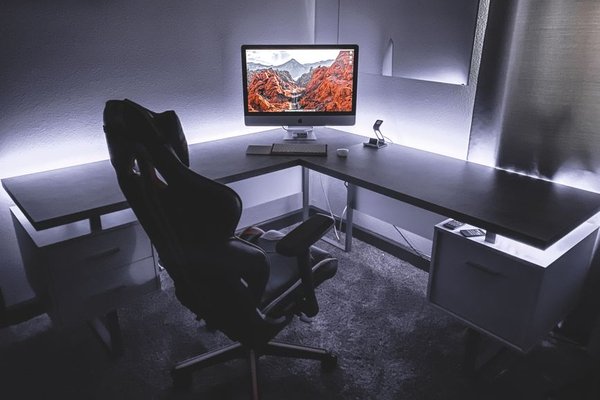
A desk can look perfectly compact in a product photo and still swallow the only usable corner of a room. The best small home office desk is not simply the shortest model you can find. It gives your equipment a workable surface, leaves room for your chair, and fits the way you move around the space. Before comparing finishes or prices, make a few measurements and decide what must live on the desktop.
Measure the working zone, not just the wall
Start with available width and depth, then check what happens when the desk is in use. A desk against a 50-inch wall may fit, but a nearby door, radiator, or drawer could make it awkward. Mark the footprint on the floor with painter’s tape and slide your chair into position.
Allow room behind the chair to sit down and stand up. Check whether drawers can open and whether the chair’s arms pass beneath the top. Also measure baseboards and electrical outlets; these can stop a desk sitting flush against the wall.
Use desk dimensions as starting points
For laptop work, desks around 30–40 inches wide and 18–20 inches deep are worth considering. A 40–48-inch-wide top can provide more room for a separate keyboard, mouse, and monitor. These are shopping ranges, not universal minimums. Your equipment determines what fits.
Depth deserves special attention. A narrow desk may save floor space but leave a monitor too close. Ergonomics guidance generally suggests placing the screen around 20–40 inches from your eyes, adjusted for comfortable viewing. A monitor arm may help if the desk supports its clamp and weight.
Choose a shape that suits the room
Straight desks for tight walls
A rectangular compact office desk is usually easiest to place. Look for slim legs and an open underside if your chair needs to tuck away. A wall-mounted desk frees visible floor area but requires suitable wall construction, correct fixings, and attention to load limits.
Corner desks for unused angles
A corner model may turn wasted space into a deeper work area. Some L-shaped desks take up more wall length than expected. Measure both sides and check which section accommodates your screen and keyboard.
Fold-down desks for occasional work
When a room doubles as a guest bedroom, a fold-down desk can make sense. It is less convenient if you use a large monitor daily or must dismantle your setup every evening. Check that the open surface does not block a walking route.
Match the desktop to your daily tasks
A laptop, notebook, and cup need a different surface from a monitor, full-size keyboard, mouse, and paper documents. Measure your equipment, including stands and bases, then sketch where everything will sit.
Imagine a 52-inch-wide bedroom alcove and a 42-by-20-inch desk. That leaves roughly five inches on either side, but not necessarily enough space for a side-opening cabinet. It might suit laptop work, while a monitor with a deep stand could push the keyboard towards the front edge. Paper templates reveal that problem before checkout.
If you regularly spread out documents, prioritise depth over extra drawers. If most work is digital, a smaller surface with a suitable monitor mount and separate shelf may be enough. Small office layout ideas can help you picture these trade-offs in a multipurpose room.
Check comfort before choosing a fixed height
The desktop should allow relaxed shoulders, elbows close to your sides, and wrists aligned with your forearms. A standard fixed-height desk will not suit everyone. Try it with your chair when possible, or compare its height with a table where you sit comfortably.
Your feet should rest flat on the floor or a footrest, with clear space for your knees and thighs. A drawer beneath the middle of an apartment office desk may steal the legroom you need. For longer laptop sessions, a separate keyboard and mouse make it easier to elevate the screen without raising your typing position.
Measure your chair’s width and armrest height. A compact desk can look roomy from above but have a narrow opening between its legs. Guidance on choosing a compact office chair is useful when planning furniture together.
Pick storage that does not crowd the seat
Built-in drawers keep supplies close, but a drawer unit occupies legroom. Decide whether things must be within reach or can sit elsewhere.
A shallow drawer suits pens and chargers. Open shelves help with occasional items but can look cluttered. A vertical organiser or safely installed wall shelf can preserve the desktop. Avoid loading a lightweight hutch with heavy objects.
Check cable routes too. Rear gaps, grommets, and accessible space beneath the top simplify power management. Home office cable management tips can help keep cords away from chair wheels and walkways.
Compare construction details before buying
Once you have a shortlist, go beyond styled photographs. Read dimension diagrams and specifications for materials, weight limits, assembly, and returns. A desk advertised as 40 inches wide may have legs or braces that reduce usable space beneath it.
Ask whether the top supports your equipment, whether a monitor-arm clamp clears the frame, and whether the legs feel stable on your flooring. Check the usable leg opening, drawer travel, and whether the desk can be assembled in its intended room.
For a desk for small space, a rounded front edge may feel more comfortable than a sharp one, while a low-glare finish can be preferable to a reflective surface. Reviews mentioning wobble, damaged corners, or difficult assembly are particularly helpful.
Frequently asked questions
What width works for a small home office desk?
About 30–40 inches can suit a laptop and basic accessories. For a separate monitor, keyboard, and mouse, consider a wider model and check your actual equipment layout.
Is an 18-inch-deep desk enough?
It can work for occasional laptop use. With a monitor, depth matters for screen distance and keyboard placement. Test the arrangement instead of relying on the product label.
Should I choose drawers or an open desk?
Choose drawers if you regularly need small supplies and have enough legroom. An open desk often works better with a bulky chair or narrow floor plan.
Can a small desk support full-time remote work?
Yes, provided it offers comfortable typing, sensible screen placement, enough legroom, and a stable surface. Ergonomic fit matters more than the smallest possible footprint.
Make the final fit test
Before ordering, tape the footprint on the floor, mock up your equipment, and pull your chair in and out. Then compare the desks that pass for storage, construction, price, and returns. The right small home office desk makes a compact room easier to use, not merely easier to photograph.